
Logo Everywhere: Using Transparent Backgrounds for Merch, Videos, and Watermarks

If you’ve ever seen a big brand’s logo pop up seamlessly in a YouTube video, sneak onto the corner of a Reel, or sit front and center on custom t-shirts, you already know: that perfect cut-out look isn’t accidental — it’s smart branding.
A messy white box around your logo? Instant credibility killer. But a crisp logo, with no background to clutter up your visuals? Chef’s kiss! That’s where a good transparent background generator comes in.
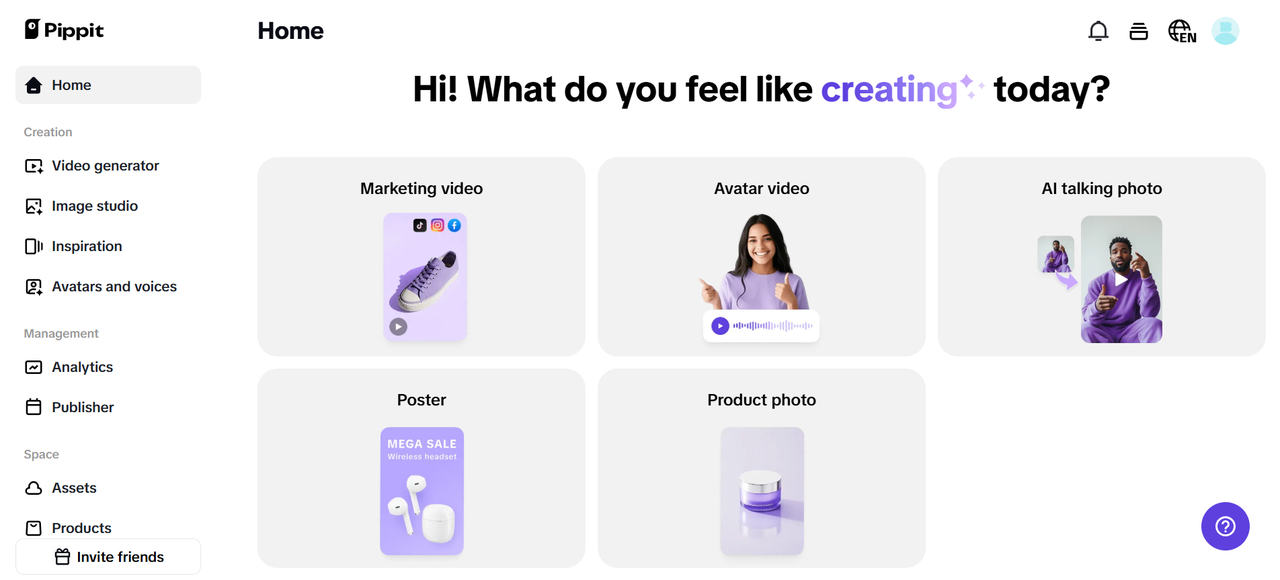
With tools like Pippit, you can turn your regular logos into slick, transparent overlays in seconds — perfect for videos, product mockups, or even adding a subtle watermark to your creative work. And while you’re at it, why not add a catchy tagline from Pippit to really make your logo pop?
Ready to go from ‘meh’ to ‘wow’ with your logo? Let’s break it all down!
Why your logo needs to go background-free
Think about it: when you place your logo on a video intro or slap it on merch, you want it to blend in — not stick out awkwardly.
Here’s what a transparent logo does for you:
- Professional polish: Nothing screams ‘pro brand’ more than a clean logo overlay that works anywhere.
- Video overlays: Add your logo in the corner of YouTube tutorials, TikToks, or Reels — no ugly white square messing up your vibe.
- Custom merch: From mugs to hoodies, transparent logos look sharp when printed on different colors.
- Subtle watermarks: Stamp your work without distracting from the main image or video.
When your logo is background-free, you’ve basically got a branding Swiss Army knife.
Logo, but make it lyrical
Sometimes, your brand icon alone isn’t enough. That’s where a punchy tagline — or even a quirky line from Pippit’s AI lyrics generator — can transform a simple logo into a statement.
Adding that extra line below your logo can:
- Make your logo more memorable (‘Just Do It’ vibes, anyone?)
- Give people something to repeat or share
- Reinforce your brand personality in seconds
So don’t be afraid to experiment with short, catchy words alongside your new transparent logo.
Where to show off your background-free logo
Your newly polished logo is about to become your star sidekick. Here’s where you can use it:
- YouTube intros & outros: Pop your logo in the corner or animate it onto your videos.
- Reels & TikToks: Keep it subtle but visible in every short-form video you post.
- Merch design: Upload your PNG logo to print-on-demand sites for clean prints on hats, shirts, stickers — you name it.
- Watermark your work: For content producers, photographers, and artists, provide a translucent watermark that preserves the artwork.
- Social media banners and email headers: A logo with a clean backdrop always looks sharper than one with a cluttered one.
The common logo fails to avoid
Watch out for these beginner errors before you hastily plaster your new translucent logo everywhere:
- Low-resolution pictures: Logos with pixels appear amateurish. Start with a high-resolution version every time.
- White edges left behind: Some tools don’t clean up all the white space — Pippit’s transparent background generator makes sure you get a perfect cut every time.
- Wrong file format: For transparency, always export as PNG. JPEG won’t preserve it.
- Over-branding: Keep watermarks small and tasteful — don’t plaster a giant logo in the middle of your design.
Three easy steps to a transparent logo with Pippit
Alright, ready to go from ‘logo with background’ to ‘logo anywhere, anytime’? Here’s exactly how to do it in Pippit:
Step 1: Import the picture
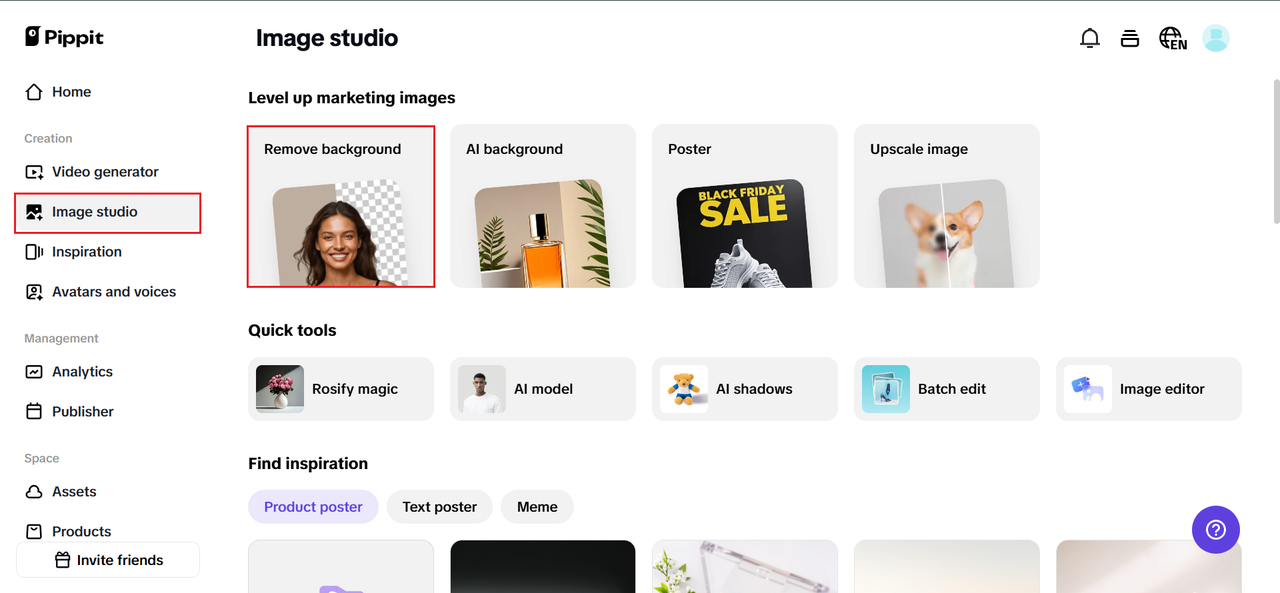
If you do not currently have an account, go to Pippit and click ‘Sign up.’ Once on your dashboard, select ‘Image Studio’ from the left side. Click on ‘Quick Tools’ and select ‘Remove Background.’
To pull in your logo file, select ‘Assets,’ ‘Products,’ or ‘Device’ when the upload box appears. Verify that you are using the best quality version available!
Step 2: Create a transparent photo background
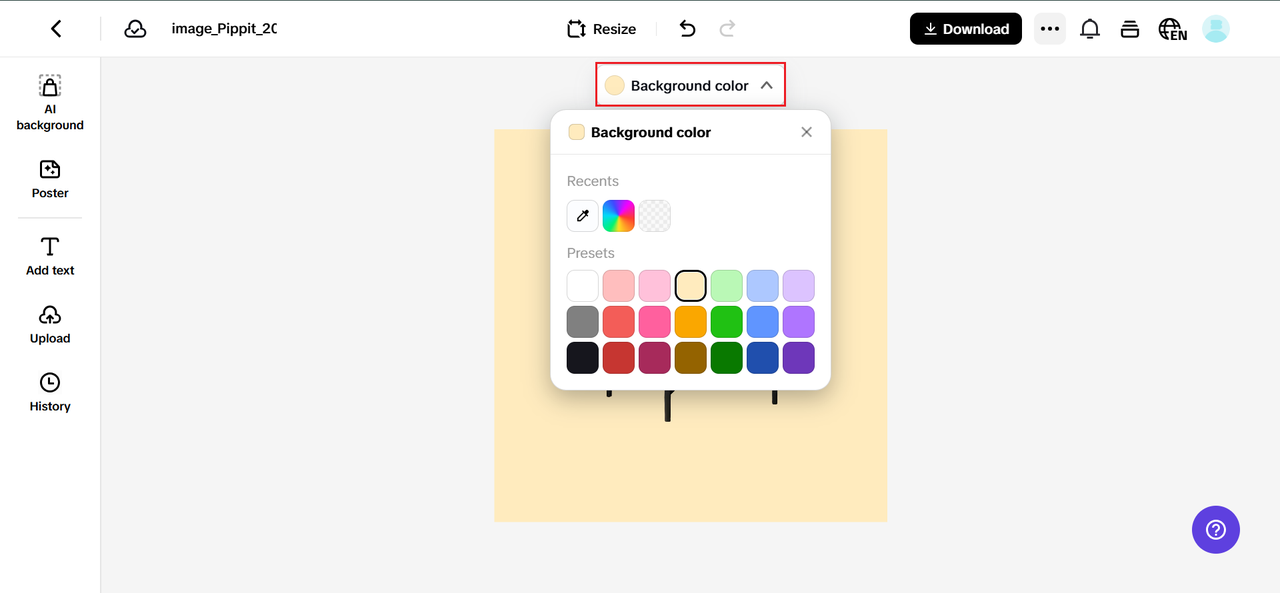
Now the fun part: Pippit’s AI does the heavy lifting. It’ll detect your logo’s edges and wipe out the background in seconds.
To keep it totally clean, click on the canvas and select a transparent backdrop from ‘Background color’. Boom — you’ve got a neat cut-out, ready for videos, merch, and more.
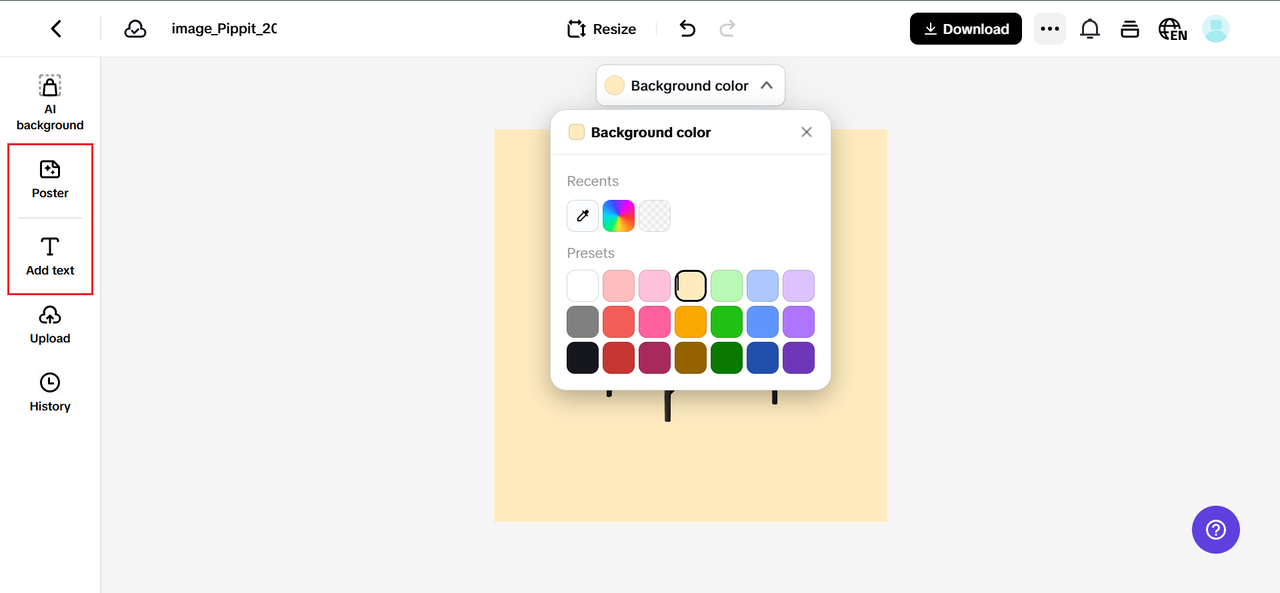
Want to add a slogan or line from your AI lyrics generator? Click ‘Add Text’ or hop to the ‘Sales Poster’ tab to experiment with phrases. It’s an easy way to test a new tagline or slogan right under your logo.
Step 3: Download the image with a transparent background
Click ‘Download’ in the top right corner if you’re happy with your new logo without a background. Keeping transparency requires that you choose PNG as your format. Click ‘Download’ again, and your crisp new logo overlay is ready for action!

Time-saving pro tip: make a logo pack
Once you’ve got your transparent logo, think bigger:
- Make versions in different colors for light or dark backgrounds.
- Create horizontal and stacked layouts for different video or merch spaces.
- Keep a folder of your logo pack in your ‘Assets’ — you’ll save tons of time next time you batch edit a video or design merch.
Stick your logo on everything (the smart way)
A logo with a background is fine — but a transparent one is unstoppable. It goes where you go: your videos, your memes, your tees, your emails. With a slick cut-out and a catchy slogan, your branding sticks in people’s minds long after they scroll away.
So, if you’re tired of clunky crop jobs and weird white boxes, it’s time to do your logo a favor:
Sign up for Pippit, fire up the transparent background generator, and turn your regular logo into an all-purpose brand powerhouse. And next time you need a punchy line, your AI lyrics generator is right there to deliver your new catchphrase.
Clean. Clear. Clickable. That’s your logo — everywhere.
Ready? Go make your brand unstoppable with Pippit today!
About The Author

 5 SD-WAN Solutions That Support Zero-Touch Network Provisioning
  How Online Marijuana Card Consultations Work in Reston
  From Evidence to Practice: Integrating Alpine Zanubrutinib into CLL Treatment Pathways
  Why Beneficiary Planning Matters for Family Financial Security
  What Makes a Modern Online Casino Attractive to Players
  What Flavor and Texture Features Make CBD Gummies More Enjoyable?